Why DriveCraft
DriveCraft syncs your files in both directions, like the official apps before "Files On-Demand".
Many clouds, many accounts
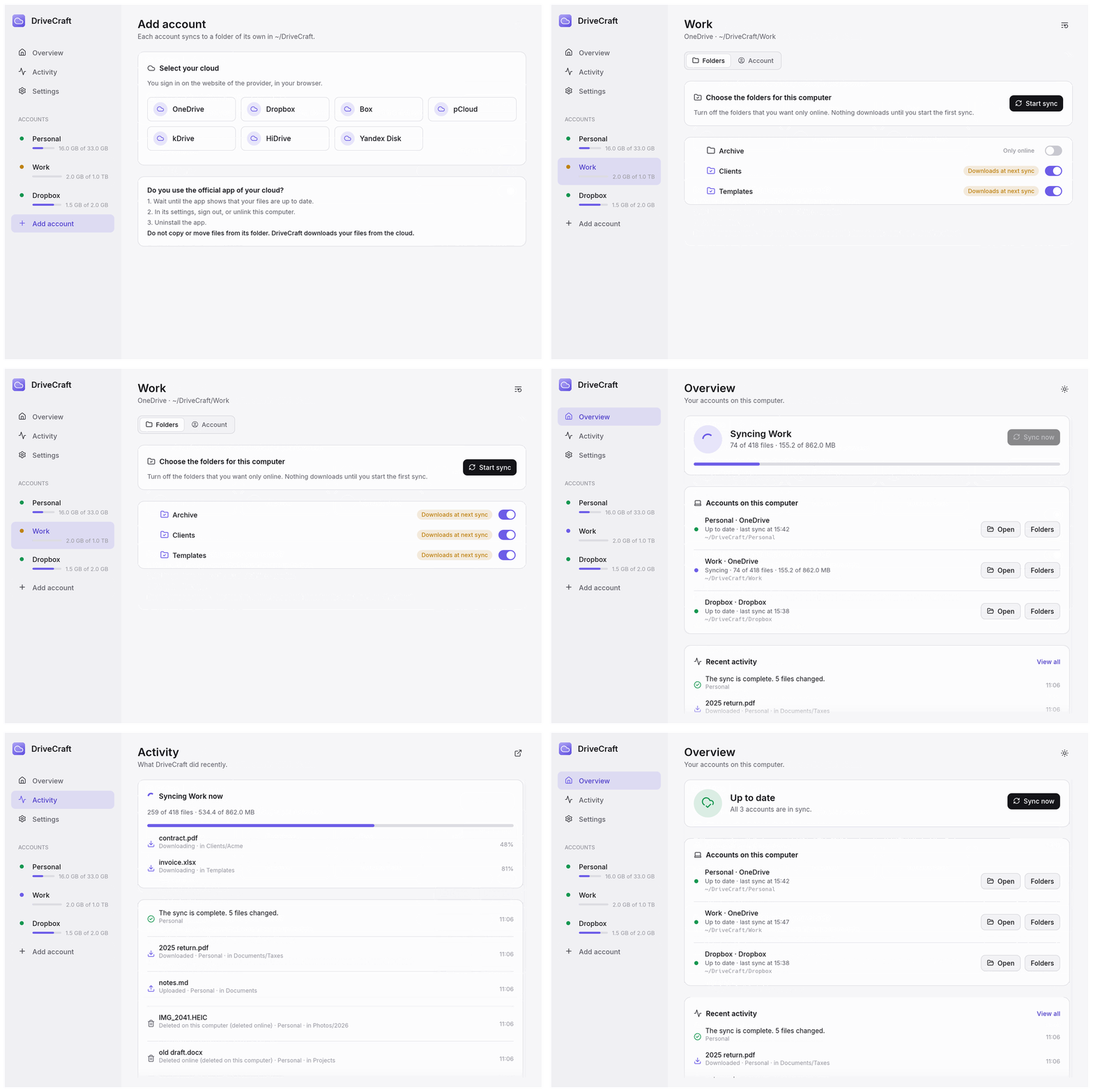
Each account syncs to a folder of its own in ~/DriveCraft, so the accounts never mix.
Selective sync
A switch for each folder: on, it syncs to this computer; off, it stays only online.
Real files
Your files are real copies on your disk, not placeholders. They open without a connection.
You choose first
After a sign-in, nothing downloads until you select the folders and start the first sync.
Safe by design
A missing folder stops the sync, so it cannot delete your files online. A file that changed on both sides keeps both versions.
Free and open source
Use DriveCraft at no cost, under the MIT or Apache 2.0 license. Read the code, report problems, or send improvements on GitHub.
Clouds
You sign in on the website of your cloud, in your browser. DriveCraft never sees your password.
Built on rclone, written in Rust
DriveCraft does not write a new sync engine. It puts a simple app on top of a tool that people already trust.
rclone does the sync
rclone is an open source tool for more than 70 cloud storage services. Many people use it every day to move and sync their files. DriveCraft uses its two-way sync and its sign-in for each cloud.
rclone is included
Each package contains a tested version of rclone. The build verifies its SHA-256 checksum. DriveCraft uses its own rclone configuration, so it never changes your own rclone accounts.
One Rust code base
DriveCraft is written in Rust. The same code makes the app for macOS, Windows, and Linux, on x64 and Arm processors.
A small, native app
The window uses egui, a fast user interface library for Rust. The app does not include a web browser, so it starts quickly and uses little memory.
Install
macOS
macOS 11 or later. Signed and notarized by Apple.
brew tap fballiano/tap
brew trust --tap fballiano/tap
brew install --cask drivecraft
Windows
Download the zip file for x64 or Arm from the latest release. Extract it, and start DriveCraft.exe.
Linux
Download the tar.gz file for x64 or Arm from the latest release. Extract it, and start drivecraft.
Do you use the official app of your cloud? Read Change from the official app before you start.